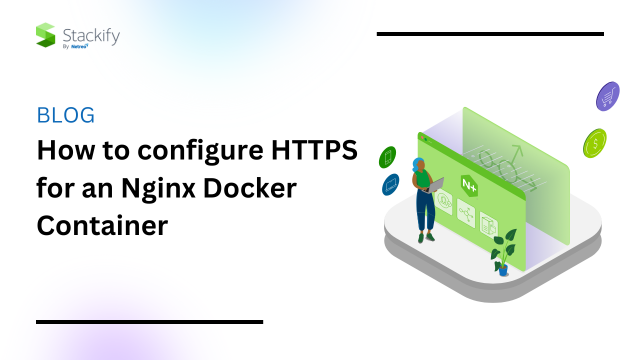
There are a few ways to effectively configure HTTPs for an Nginx Docker Container. In this guide, we will quickly cover configuration through the use of free certificate authority Let’s Encrypt.
For plenty of people, using Let’s Encrypt to configure HTTPS for an Nginx docker container is a good option. A paid version like Comodo’s SSL certificates may make more sense if you want to increase the security of your site and server.
It is all about finding the right solution for your needs. This introduction will get you started, while the comprehensive code can be found via GitHub.

In the realm of Docker, an essential tool to become acquainted with is docker-compose. Docker-compose facilitates the management of multi-container Docker applications by allowing you to define multiple containers within a single YAML file for collective management. By utilizing docker-compose, we can simplify the setup process and configuration of our services.
To efficiently and securely serve our application, we will employ Nginx—a widely-used open-source web server—as a reverse proxy. In addition, we must not overlook the significance of HTTPS when it comes to ensuring security.
This is where Certbot comes into play. Certbot acts as a client that retrieves certificates from Let’s Encrypt—an esteemed certificate authority—and configures HTTPS on the server. Let’s Encrypt offers free SSL certificates, making it an exceptional option for personal projects or small enterprises.
If you want to define several containers and also get them up and running, docker-compose is an efficient tool.
First, you need to kick things off with a config file (docker-compose.yml) that encompasses images for both Nginx and certbot.
version: ‘3’

services:

  nginx:

image: nginx:1.15-alpine

ports:

   – “80:80”

   – “443:443”

volumes:

   – ./data/nginx:/etc/nginx/conf.d

  certbot:

image: certbot/certbot
Next, you can use this basic configuration to point incoming requests to HTTPS. Just swap in your domain name there the example URLs are found. Then, save the domain name as data/nginx/app.conf.
server {

listen 80;

server_name example.com; location / {

     return 301 https://$host$request_uri;

}

}server {

listen 443 ssl;

server_name example.com;

location / {

     proxy_pass http://example.com;

}

}
Joining the dots
In order to validate domains, Let’s Encrypt request-response data from certbot which has to be served files via the Nginx container. This takes a parallel approach to that used by Google Search Console.
Volumes for both validation challengers and certificates need to be added as follows within docker-compose.yml:
Then to the certbot section you need to include:
volumes:
Subsequently you will need to place this in data/nginx/app.conf:
location /.well-known/acme-challenge/ {

root /var/www/certbot;

}
Now comes the time to bring the HTTPS certificates into play. Pop this, along with its key, into port 443. Remember to swap in your domain where appropriate:
ssl_certificate /etc/letsencrypt/live/example.com/fullchain.pem;

ssl_certificate_key /etc/letsencrypt/live/example.com/privkey.pem;
Finally, endow your config file with this HTTPS setup used by Let’s Encrypt to keep things consistent:
include /etc/letsencrypt/options-ssl-nginx.conf;

ssl_dhparam /etc/letsencrypt/ssl-dhparams.pem;
The validation process is a little challenging since it seems as if you need to overcome a Catch 22 situation. Luckily there is a script to handle this. The script generates a dummy certificate. Then, it deletes the dummy certificate once the genuine article has been received.
curl -L https://raw.githubusercontent.com/wmnnd/nginx-certbot/master/init-letsencrypt.sh > init-letsencrypt.sh
To complete this, run chmod +x init-letsencrypt.sh and sudo ./init-letsencrypt.sh. Also, remember to include your own domain and email details.
SSL/TLS certificates possess an expiry date as they are not everlasting. This expiration date is determined by the certificate authority (CA) to ensure the continuous security of these certificates. It is considered good practice to regularly renew, as vulnerabilities might emerge over time.
The significance of certificate renewal cannot be emphasized enough. Should a certificate expire, warnings concerning an insecure connection will be presented to your website visitors. These warnings have the potential to dissuade users from using your site or erode their trust in its security. Consequently, maintaining up-to-date certificates is essential. So, automating the renewal at the right time is essential.
Edit the docker-compose.yml , including the upcoming code within the certbot section:
entrypoint: “/bin/sh -c ‘trap exit TERM; while :; do certbot renew; sleep 12h & wait $${!}; done;'”
At 12 hour intervals, this will detect whether your certificate needs to be renewed or not. Then using the following, this time added to the Nginx section. The newest certificates are the only ones loaded within Nginx.
command: “/bin/sh -c ‘while :; do sleep 6h & wait $${!}; nginx -s reload; done & nginx -g \”daemon off;\”‘”
As you can see, this will require that the config, including any new certificates, are reloaded at 6-hour intervals.
The last step is to run docker-compose up. Then, start making the most of your significantly more secure service.
Upon completion of this guide, you will possess a Dockerized Nginx service featuring SSL enabled with a SSL certificate. This configuration promotes enhanced security and user trust by guaranteeing the transmission of all data through encrypted channels.
However, our journey does not end here. Technology never ceases to evolve, with tools and best practices continuously changing and improving with time. Hence, it is essential to remain up-to-date by following reputable tech blogs, actively engaging in forums, and delving into official documentation. Docker, Nginx, and Let’s Encrypt boast extensive documentation and thriving communities that serve as invaluable resources for troubleshooting issues and exploring advanced configurations.
Always bear in mind that security is an ongoing process rather than a one-time setup. Regularly updating your containers, reviewing server logs, and renewing certificates are vital components of maintaining a secure environment.
Moreover, do not shy away from experimentation. Expand your services by increasing container numbers or exploring various Docker images. Additionally, explore automated build tools to enhance efficiency further—remember that there are limitless possibilities available for exploration.
Stackify’s Application Performance Management tool, Retrace, collects Nginx web server logs for .NET, Java, PHP, Node.js, Python, and Ruby applications. Start your free, 14-day trial of Retrace today!
Stackify's APM tools are used by thousands of .NET, Java, PHP, Node.js, Python, & Ruby developers all over the world.
Explore Retrace's product features to learn more.